
In this article we show (students form students) how we use the server provided by netcup for our club infrastructure. Specifically, we are currently hosting a wiki in which we try to minimize the loss of information between changing board members. Additional services, such as Mattermost or specially written tools, are also being considered to be deployed on the server.
Author:Dominik Geißler, Students Form Pupils e.V.
About StudyTutors
We fromStudyTutorsOur goal is to provide access to individual education regardless of
financial or social status of the families. We now add over 50 to this
University towns offer free 1:1 tutoring for families who cannot afford regular tutoring.
For this purpose, we are divided into so-called locations that work very self-sufficiently and are supported by the location management
be in contact with the Federal Executive Board. The federal executive board therefore cares less about the tutoring itself and more about all sorts of issues, such as the organization of the club, financing or infrastructure.
Motivation
Over the course of several years it has been noticed again and again that we, especially due to the great growth of...
Club during the Corona period, often make certain mistakes again, forget things or some
people have a monopoly on knowledge, which of course has to be filled after they leave.
To counteract this, we decided to create a wiki, which will be a collection point for all this knowledge, processes, errors, etc. The wiki should be self-hosted so that we can guarantee flexibility and data protection. For this we use the server sponsored by netcup.
How do you host a wiki?
To host the wiki we choseWiki.jsdecided, which offers a very versatile open-source wiki that you can host on your own server. There are different ways to host the wiki, for example in a Docker container (i.e. a self-contained environment), a direct installation or in a cluster. We decided to use a Docker container because it is easy to install but also easy to manage.
If several services run in parallel, you can manage them well using containers. For the wiki we need three different components: the wiki itself, a database in which the information entered on the wiki is stored and an update companion (i.e. software that helps us with updates). We also create an SSL certificate so that we can use HTTPS. For the Docker containers, we first need to install Docker. We do this by installing the necessary packages using the package manager from our Linux distro (apt):
The containers then require some configuration. We need a folder that contains the
Contains configuration files, as well as some settings for the database:
And voilà – the wiki not only runs but can also be accessed from outside via the server IP.
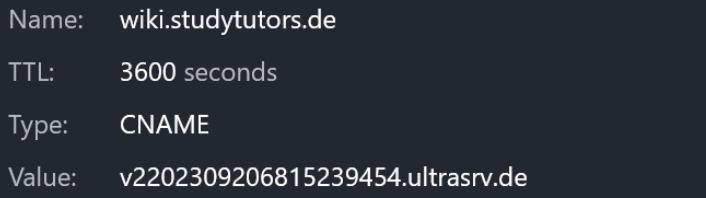
In order to have your own subdomain, we have in our domain management serviceNetlifyAdded a new CNAME entry that points to the address of the server.
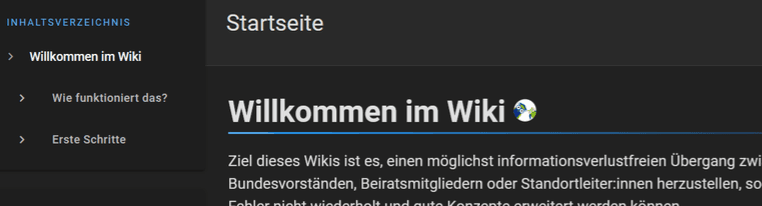
We then made further settings in the wiki interface, such as automatic backups
were able to start writing straight away. As of this writing, our wiki has almost 40 pages and 25 users. Since we were able to set additional tools used through the Wiki, this is not only a great thing for future board members so that we don't repeat the same mistakes, but also for us now, as we have fewer tools to manage.
And what happens next?
The potential of the server and our ideas are far from exhausted. At this point, the demo version of the Slack-like communication platform Mattermost is running on the server alongside the wiki. We want to use this as a simpler communication option for the Federal Executive Board, but also for locations. However, this also causes some technically very interesting problems, which means that the request, which previously only went directly to the Docker container, now has to be distributed to the correct address through a reverse proxy.
We would also like to host our own scripts and services that handle certain administration processes
simplify or completely automate. At this point we would like to thank netcup once again for providing the server. This enabled us to overhaul some old, inefficient processes and thus concentrate on the more important tasks: giving the children a chance at education!